Finish
Reference documentation for using the Finish action
Written By Support Channel
Last updated Over 1 year ago
Overview of the Finish action
The Finish action marks the end of a workflow and provides the basic setup for how and when the workflow is triggered, as well as which inputs it can accept. It acts as the foundation for configuring workflow behaviour.
Understanding the Finish action
The Finish action is the end of any workflow. It defines the core settings that control how the workflow is triggered, what kind of data it accepts, and how it can be triggered.
Workflow Configuration Tabs
There are a number of Tabs composing the Finish action of each workflow.
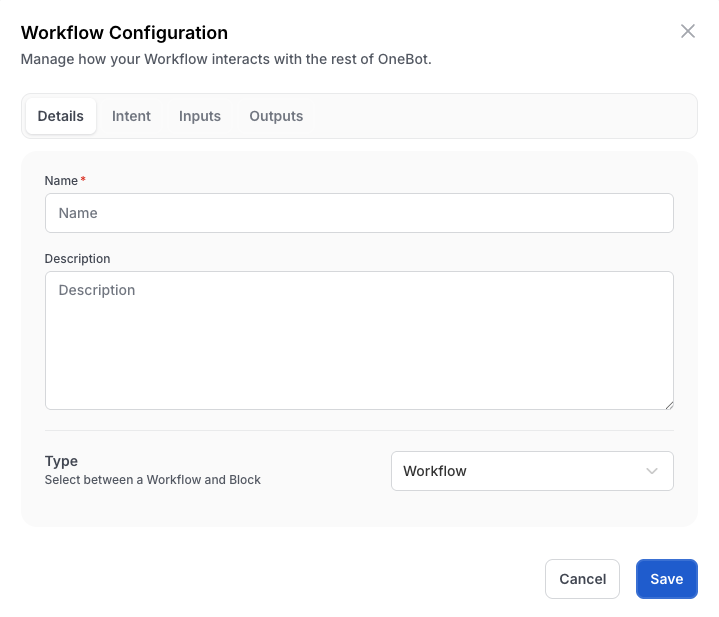
Details
Name (Required)
The internal name of the workflow and has to be unique.
Description
A brief explanation of what the workflow does.
Type
Specifies type of workflow:
Workflow - Can be triggered by the user via the correct Intent
Block - Can only be called by the Run Workflow action or the OneBot Webhook
Intent
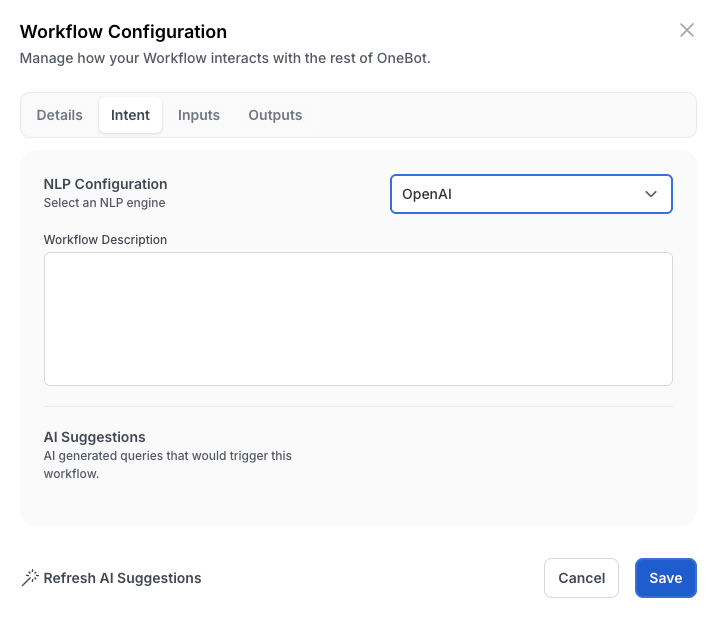
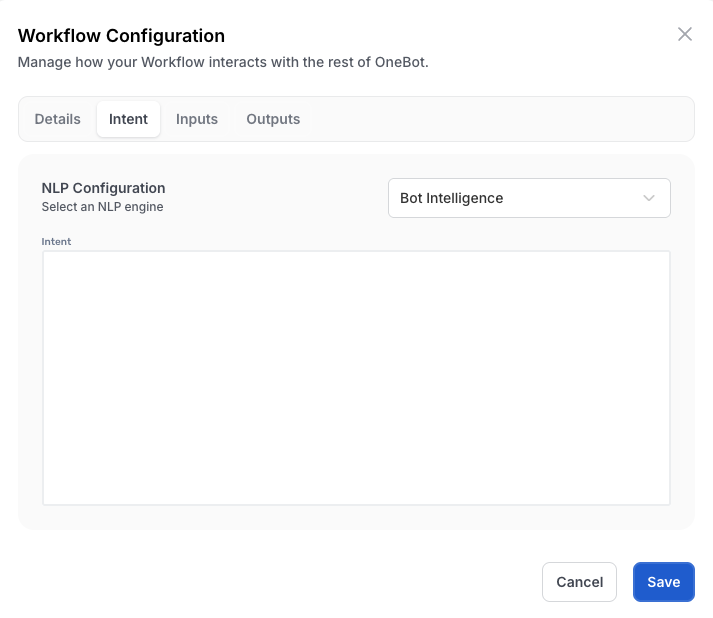
NLP Configuration
Configuration of the natural language processor for the workflow
Intent
Define the user’s words or action that the workflow should respond to. Only visible when NLP Configuration = Bot Intelligence
Workflow Description
A brief explanation of what the workflow does for OpenAI to interpret. Only visible when NLP Configuration = OpenAI
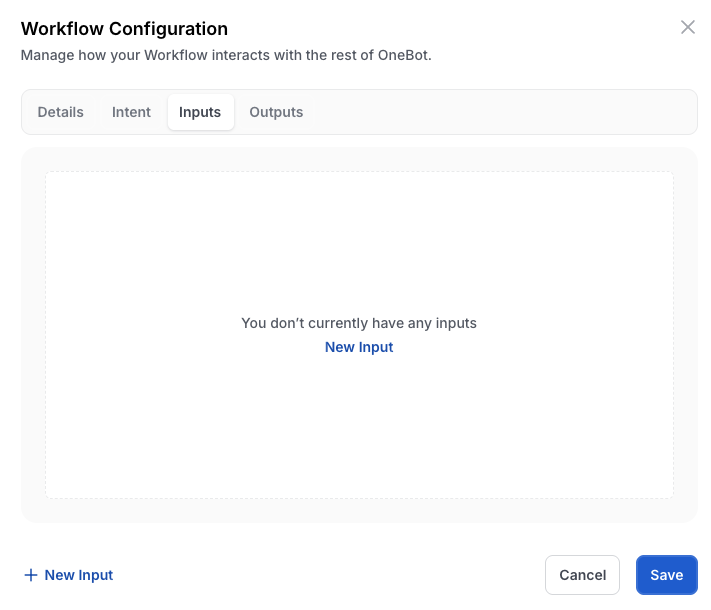
Inputs
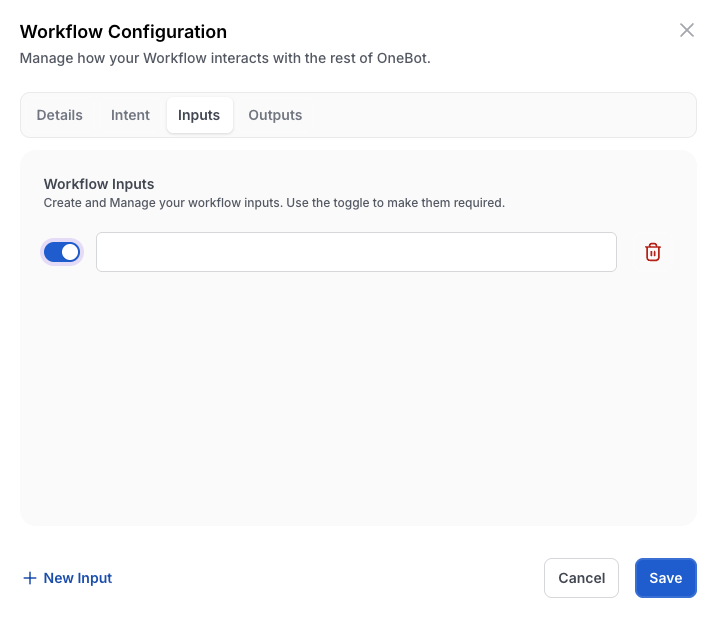
Required
Configuration of input is required for workflow
Name
Name of input variable for the workflow
Trash Can
Remove Input from workflow configuration
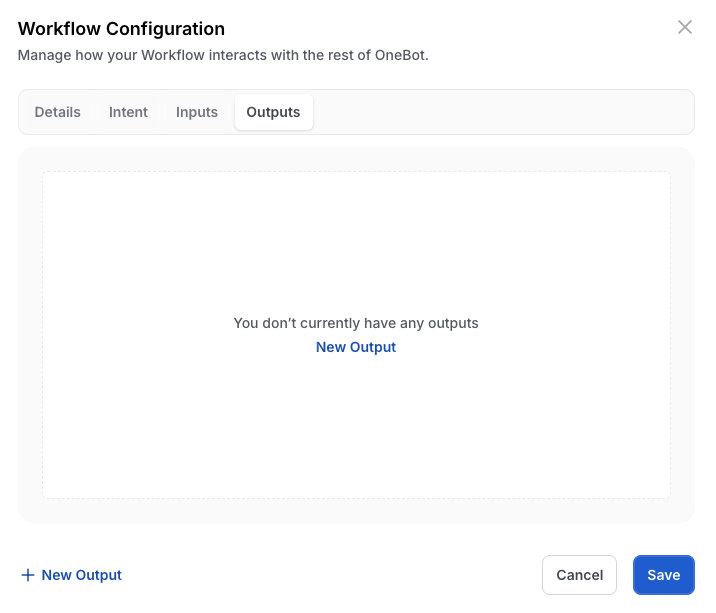
Outputs
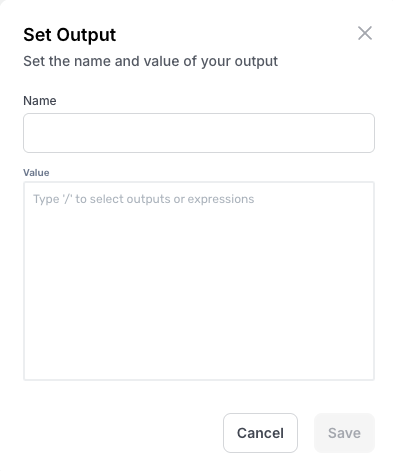
Name
Name of output variable for the workflow
Value (Expression)
Value of output variable
Working with Finish action
When building a workflow the Finish action is automatically added as the last action. From here, you can define how the workflow will be triggered (Intent), add input/output parameters that pass important data into the workflow, such as IDs, names, or tickets. These inputs/outputs become variables that can be used in later steps.
Create and manage Finish actions
Add a Finish action
The Finish action is added to the workflow automatically when creating the workflow. It serves as the first action and cannot be removed.
Delete a Finish action
You cannot remove the Finish action as this serves as the configuration for the workflow.
Was this helpful?
Still need help? Share an idea