Find and replace
Reference documentation for using the Find and replace expression
Written By Ben Lehmann
Last updated Over 1 year ago
Description
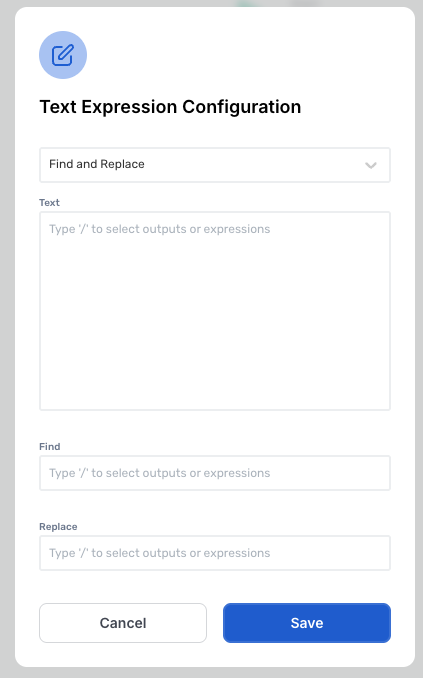
The expression searches for specified text from the Find field within the Text Field and replaces it with the text from the Replace field.
Comments
The expression will return the input text, either unchanged or modified depending on the applied text function.
The expression is case-sensitive, meaning it will only find the exact match of the text as it appears in the Find Text field. For example, hello will not match Hello.
v3.0
Was this helpful?
Still need help? Share an idea